How to read a company's job board at the source
Most careers pages are a front end for an applicant tracking system. Here is how to tell which one from the URL, and how to read its job list directly on Greenhouse, Lever and Ashby.
6 min read
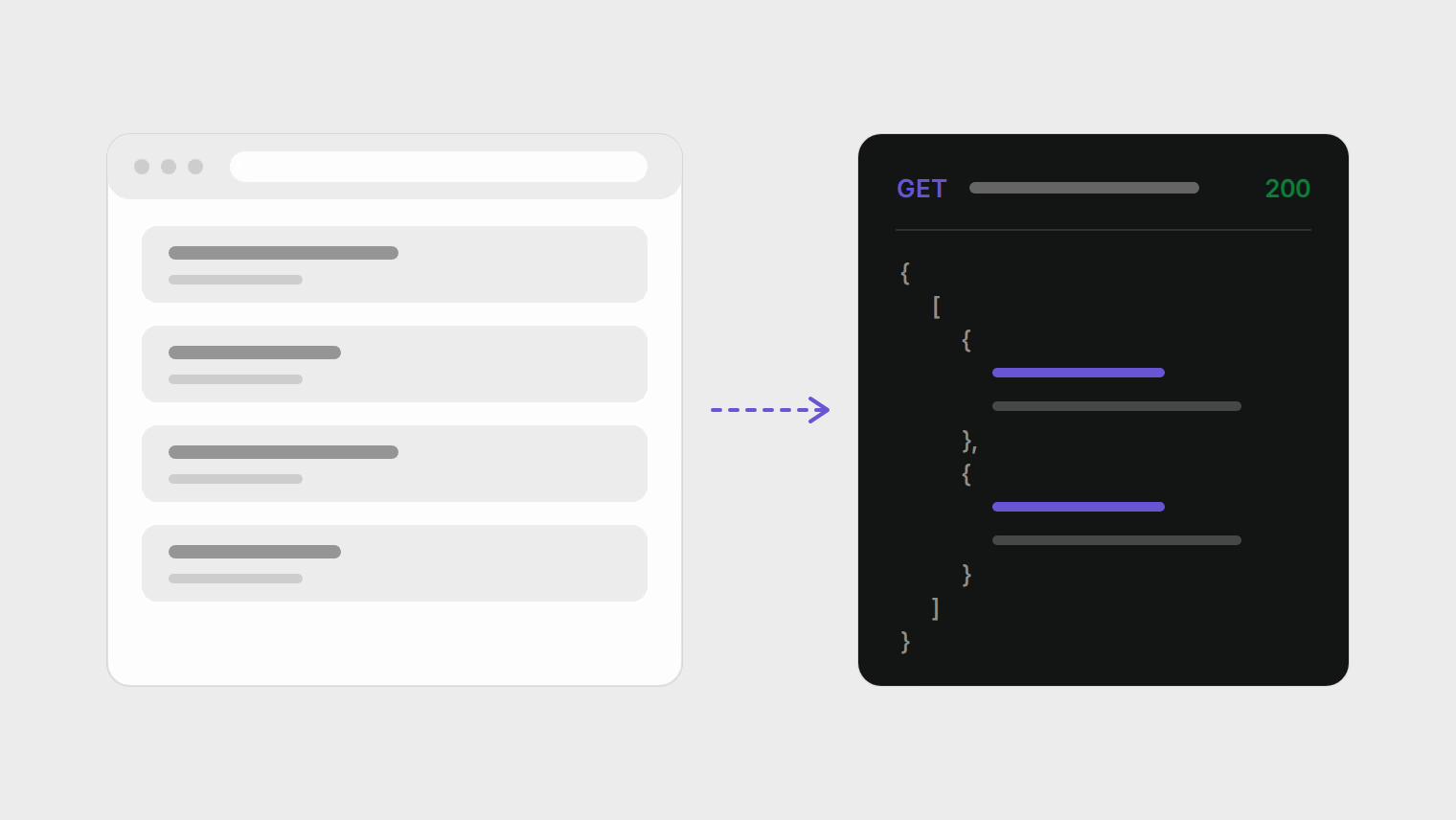
The careers page on a company's website is usually not where its jobs live. Most employers keep openings in an applicant tracking system (ATS) such as Greenhouse, Lever, Ashby or Workday, and the careers page either links to the ATS's hosted job board or embeds it. Job boards and aggregators copy from that same list.
If you know which system a company uses, you can read the list at the source. You get every open role in one place, the posting's own dates, and on some systems fields that a careers page or a job board does not show, such as whether the role is remote or what the pay range is.
This guide covers three steps: identify the system from a URL, read its public job list, and know what the fields mean.
Step 1: identify the system from the URL
Open the company's careers page and click into any job, or hover over an Apply button. The address you land on usually names the system. These are the hosted board addresses for ten common systems:
| System | Hosted job board address | What to look for |
|---|---|---|
| Greenhouse | job-boards.greenhouse.io/{company} or boards.greenhouse.io/{company} | On a company's own domain, links ending in ?gh_jid= followed by a number |
| Lever | jobs.lever.co/{company} (EU accounts: jobs.eu.lever.co) | Job links with a long ID after the company name |
| Ashby | jobs.ashbyhq.com/{company} | An application form under /application |
| Workday | {company}.wd1.myworkdayjobs.com/{site} (the number after wd varies) | A search page with filters in a sidebar |
| SmartRecruiters | jobs.smartrecruiters.com/{company} or careers.smartrecruiters.com/{company} | |
| Workable | apply.workable.com/{company} | |
| Recruitee | {company}.recruitee.com | |
| BambooHR | {company}.bamboohr.com/careers | |
| Breezy HR | {company}.breezy.hr | |
| Personio | {company}.jobs.personio.de |
The {company} part is the board's name, sometimes called a token or slug. It is usually the company name in lowercase, but not always, so copy it from the address rather than guessing.
When the careers page embeds the board inside the company's own design, the address may not change. Two quick checks:
Copy the Apply link
Right-click an Apply link and copy the link address. Embedded Greenhouse boards keep a
gh_jidparameter in the link, as Greenhouse's own Job Board API documentation shows in its examples.Search the page source
View the page source and search for
greenhouse,lever.co,ashbyhq,myworkdayjobsorsmartrecruiters. The embed script or iframe names its host.
Step 2: read the job list directly
Greenhouse, Lever and Ashby each publish a documented, public endpoint that returns a company's open jobs as JSON. They exist so employers can build their own careers pages, and they need no account or key to read. Greenhouse states it directly: job board data "is publicly available, so authentication is not required for any GET endpoints."
You can open these in a browser. Each example below uses the vendor's own board, so the link works as written; swap in the board name you found in step 1.
Greenhouse
https://boards-api.greenhouse.io/v1/boards/greenhouse/jobs
https://boards-api.greenhouse.io/v1/boards/greenhouse/jobs?content=true
The first returns every published job with its title, location, link and dates. Adding content=true includes the full description, department and office for each job. A single job, at /jobs/{id}, can also return the pay range the employer entered: add pay_transparency=true and look for pay_input_ranges. Many employers leave it empty.
Lever
https://api.lever.co/v0/postings/leverdemo?mode=json
Lever's Postings API returns each posting with workplaceType (on-site, remote, hybrid or unspecified), team and location categories, plain-text and HTML descriptions, the hosted posting URL and the application URL. salaryRange appears when the employer filled it in. Accounts hosted in Lever's EU region use api.eu.lever.co instead. You can also filter with query parameters, for example commitment=Fulltime, or page with skip and limit.
Ashby
https://api.ashbyhq.com/posting-api/job-board/ashby?includeCompensation=true
Ashby's public job posting API returns all currently published postings with publishedAt, isRemote, workplaceType, employmentType, department and team, and the job and application URLs. With includeCompensation=true it adds the compensation summary when the employer has set one.
The other systems
Some of the others document a public feed too. Personio serves open positions as XML at {company}.jobs.personio.de/xml (Personio developer docs). Recruitee has a careers site API, and SmartRecruiters has a Posting API. Workday has no documented public job feed; use the search and filters on the company's Workday site itself.
Step 3: know what the fields mean
Reading the raw list is only useful if you know what to look at. Four fields answer questions that a job board listing often blurs.
How long the role has been open
Greenhouse returns two dates per job: first_published and updated_at. They measure different things: the first is when the post went live, the second is the last edit. A listing copied elsewhere may show either one, or the date it was copied. If first_published on the source is three months back, the role has been open for three months, whatever a "posted 2 days ago" label says. That is not a reason to skip it, but it is a reason to ask about the timeline in an interview, and it tells you a recent edit is not a new opening.
Greenhouse jobs can also carry an application_deadline. Ashby's equivalent of the first date is publishedAt.
Whether it is really remote
A title like "Senior Engineer (Remote)" and a location of "New York" leave room for doubt. Lever's workplaceType and Ashby's isRemote and workplaceType are fields the employer set explicitly, separate from the location text. When the two disagree, the location text usually describes where the team sits and the field describes the arrangement. Ask before you apply if it matters to you.
Pay
Pay appears only when the employer entered it: pay_input_ranges on Greenhouse, salaryRange on Lever, the compensation summary on Ashby. An empty field means the employer did not enter it in the system, not that there is no budget. In places with pay transparency rules the range may still be in the description text.
Whether AI review is in use
Greenhouse job objects can include include_ai_disclaimer and an ai_disclaimer text, plus an ai_opt_out_request_url when the employer offers one. These relate to Greenhouse's Talent Matching feature, which the company describes as assistive scoring that does not reject anyone automatically. The guide on what applicant tracking systems actually do covers it in detail.
Reading boards without being a nuisance
Doing this for twenty companies
Checking one board is quick. Checking twenty every few days is where people give up and go back to job board alerts. If you want to keep it manual, a spreadsheet with four columns is enough:
- Company and board name (for example
greenhouse). - The system and its list URL from step 2.
- The newest
first_publishedorpublishedAtdate you have already seen. - The roles you have applied to, with the date.
Each pass, open the list URL, look only at jobs newer than column 3, and update it.
Nimbae automates the same loop: paste a careers page or board address, it detects which of the ten systems above the company uses, and its openings appear in your jobs feed ranked against your profile. Lever boards hosted in Lever's EU region are not supported yet. See how company tracking works.
Sources
- Greenhouse, Job Board API: public GET endpoints,
content,pay_transparency,first_published,application_deadline, AI disclaimer fields. - Lever, Postings API: global and EU hosts,
workplaceType,salaryRange, filters, application rate limit. - Ashby, Public job posting API:
publishedAt,isRemote,includeCompensation. - Personio, Retrieving open positions.
- Recruitee, Careers site API.
- SmartRecruiters, Posting API.
All endpoints and fields were checked against the live APIs on October 18, 2026.